


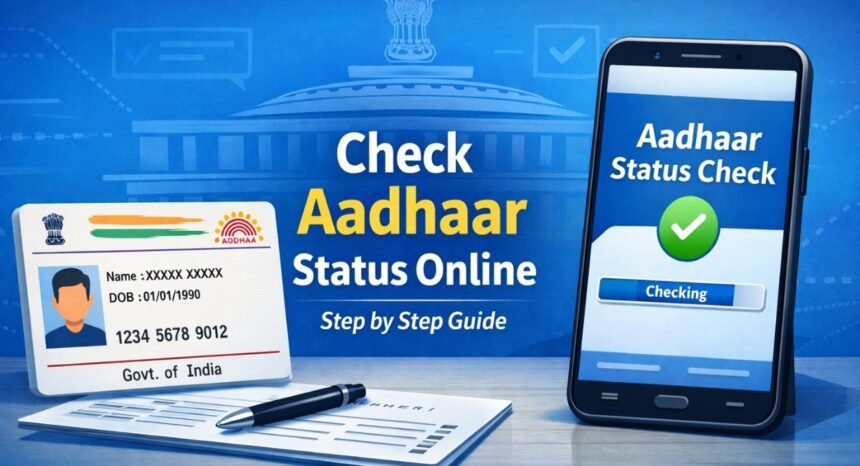
How to Check Aadhaar Status Online – Complete Step-by-Step Guide
Aadhaar card is one of the most important identity documents for every Indian citizen. Whenever you apply for a new Aadhaar card, update your details, or order a PVC Aadhaar card, you often want to know the status of your request.
- Step 1 – Visit UIDAI Official Website
- Step 2 – Click “Check Enrollment Status”
- Step 3 – Enter Enrollment ID
- Step 4 – View Status
- Step 1 – Login to UIDAI Portal
- Step 2 – Click “Check Update Status”
- Step 3 – Check Result
- Step 1 – Visit UIDAI Portal
- Step 2 – Select “Check PVC Card Status”
- Step 3 – Track Delivery
Instead of visiting Aadhaar centers or waiting in long queues, UIDAI allows you to check your Aadhaar status online from home in just a few minutes.
You only need your Aadhaar number, enrollment ID (EID), or service request number (SRN) to track the progress.
In this complete guide, you will learn how to check Aadhaar status online for enrollment, update, and PVC card step-by-step.
What is Aadhaar Status Check?
Aadhaar status check means tracking the progress of:
- New Aadhaar enrollment
- Aadhaar update request
- Address or document update
- PVC Aadhaar card order
- Correction request
It helps you know whether your request is:
✅ Approved
⏳ Processing
❌ Rejected
📦 Dispatched
This saves time and avoids unnecessary visits to Aadhaar centers.
What Details Are Needed to Check Aadhaar Status?
You need any one of these:
For new Aadhaar enrollment:
- Enrollment ID (EID)
For update request:
- Service Request Number (SRN)
For PVC card:
- SRN or Aadhaar number
For general status:
- Aadhaar number + OTP
Make sure your mobile number is linked with Aadhaar to receive OTP.
Method 1 – Check Aadhaar Enrollment Status Online
If you applied for a new Aadhaar card, follow these steps.
Step 1 – Visit UIDAI Official Website
Open:
👉 https://myaadhaar.uidai.gov.in/
Always use official UIDAI website only.
Step 2 – Click “Check Enrollment Status”
On homepage:
- Click Check Aadhaar Status
- Select Enrollment Status
Step 3 – Enter Enrollment ID
Enter:
- 14-digit EID number
- Date & time (printed on slip)
- Captcha
Then click Submit.
Step 4 – View Status
You will see:
- Processing
- Generated
- Rejected
If generated → you can download Aadhaar.
Method 2 – Check Aadhaar Update Status (Address/Document/Correction)
If you updated your Aadhaar online or offline, use SRN number.
Step 1 – Login to UIDAI Portal
Go to:
👉 https://myaadhaar.uidai.gov.in/
Login using:
- Aadhaar number
- OTP verification
Step 2 – Click “Check Update Status”
Inside dashboard:
- Select Update Status
- Enter SRN number
Step 3 – Check Result
Now you will see:
- Under review
- Approved
- Rejected
If approved → changes are applied automatically.
No new card required.
Method 3 – Check Aadhaar PVC Card Status
If you ordered PVC Aadhaar card, follow these steps.
Step 1 – Visit UIDAI Portal
Go to:
👉 https://myaadhaar.uidai.gov.in/
Step 2 – Select “Check PVC Card Status”
Enter:
- SRN number
or - Aadhaar number + OTP
Step 3 – Track Delivery
You will see:
- Printing
- Dispatched
- Delivered
After dispatch, India Post tracking number is provided.
You can track delivery easily.
How Long Does Aadhaar Process Take?
Here’s the average time:
| Service | Time Required |
|---|---|
| New Aadhaar | 7–15 days |
| Address update | 2–5 days |
| Document update | 2–5 days |
| PVC card delivery | 5–10 days |
Sometimes delays may happen during verification.
Common Reasons for Delay or Rejection
Your request may get rejected if:
- Blurry documents
- Wrong information
- Mismatched details
- Invalid proof
- Fake documents
Always upload clear documents to avoid problems.
Benefits of Checking Aadhaar Status Online
Online tracking is helpful because:
- Saves time
- No center visit needed
- Instant results
- Free service
- Easy from mobile
- 24/7 available
You can check anytime.
Important Tips
Follow these tips:
✅ Keep EID/SRN safe
✅ Use official UIDAI website only
✅ Check status regularly
✅ Use registered mobile number
These steps ensure smooth process.
Frequently Asked Questions (FAQ)
Q1. Can I check Aadhaar status without mobile number?
Yes, you can check without mobile number.
Q2. Is Aadhaar status check free?
Yes, completely free.
Q3. What is SRN?
Service Request Number generated during update.
Q4. How many days for update approval?
Usually 2–5 days.
Q5. Can I download Aadhaar after approval?
Yes, you can download e-Aadhaar instantly.
Conclusion
Checking Aadhaar status online is simple, fast, and free. Whether you applied for new Aadhaar, updated details, or ordered a PVC card, you can track everything from your mobile in just a few clicks.
Always keep your enrollment slip or SRN safe and use only the official UIDAI website.
For more useful government service guides, keep visiting Uniqpedia regularly.