


How to Update Aadhaar Card Online – Address Change Process, Documents & ₹75 Fee Guide
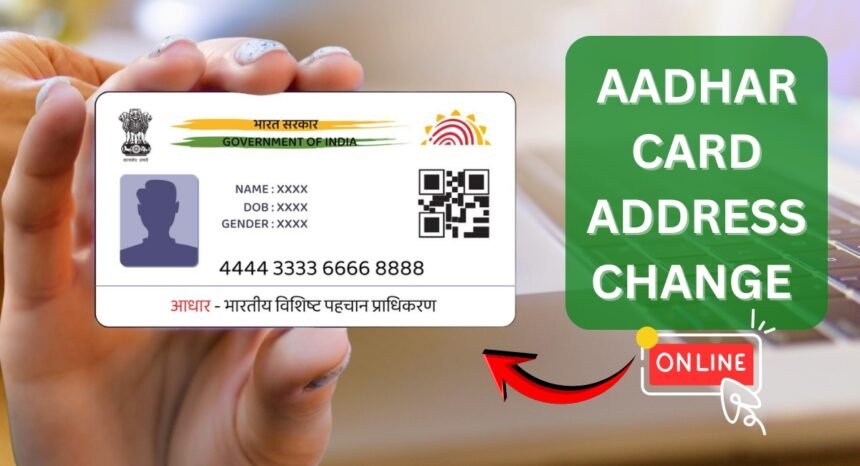
Updating your Aadhaar card has now become much easier with the official UIDAI online portal. You no longer need to stand in long queues or visit Aadhaar centers for small changes. From your mobile or computer, you can update your Aadhaar details within minutes.
According to the latest UIDAI update policy, online corrections are now limited mainly to address changes, and the update fee has been revised from ₹50 to ₹75.
In this step-by-step guide, we will explain how to update your Aadhaar card online, required documents, fees, and how to check your update status safely.
What is Aadhaar?
Aadhaar is a 12-digit unique identification number issued by UIDAI (Unique Identification Authority of India). It acts as proof of identity and address for Indian residents.
Today, Aadhaar is required for:
- Bank account opening
- PAN card linking
- SIM card verification
- Government schemes
- Subsidies
- Income tax filing
If your Aadhaar details are incorrect, you may face problems while accessing these services. That’s why keeping your Aadhaar updated is very important.
What Details Can Be Updated Online?
As per the latest UIDAI policy:
Online updates allowed:
✅Address change only
Offline/center visit required:
✅ Name change
✅ Date of birth
✅ Mobile number
✅ Biometrics
So if you only want to change your address, you can do it easily online.
Required Documents for Aadhaar Address Update
Before starting, keep these documents ready.
Address Proof (any one):
- Electricity bill
- Bank statement
- Passport
- Voter ID
- Driving license
- Rent agreement
- Gas bill
Other Requirements:
- Aadhaar number
- Mobile number linked with Aadhaar
- Internet connection
Make sure the document is clear and readable.
Step-by-Step Process to Update Aadhaar Address Online
Follow these simple steps carefully.
Step 1 – Visit Official UIDAI Website
Open the official UIDAI self-service portal:
👉 https://myaadhaar.uidai.gov.in/
Never use third-party websites for Aadhaar updates.
Step 2 – Login Using Aadhaar Number
- Enter your Aadhaar number
- Enter captcha
- Click Send OTP
- Verify using OTP received on your mobile
After OTP verification, you will be logged in.
Step 3 – Select “Update Address Online”
Inside the dashboard:
- Click Update Aadhaar
- Choose Address Update
Now you can edit your new address.
Step 4 – Enter New Address Details
Fill in:
- House number
- Street
- City
- District
- State
- PIN code
Make sure spelling is correct and matches your proof document.
Step 5 – Upload Address Proof
Upload scanned copy/photo of your address proof.
Tips:
✅Clear image
✅No blur
✅Full document visible
Step 6 – Pay Update Fees
Latest Fee:
₹75 (Earlier ₹50)
Payment methods:
- UPI
- Debit card
- Net banking
- Credit card
After payment, submit the request.
Step 7 – Get Service Request Number (SRN)
After submission, you will receive a Service Request Number (SRN).
Save it carefully.
It is used to track your update status.
How Long Does Aadhaar Update Take?
Normally:
- Processing time: 3–7 days
- Sometimes: up to 10 days
After approval, you can download your updated e-Aadhaar.
How to Check Aadhaar Update Status
Follow these steps:
- Visit UIDAI website
- Click Check Update Status
- Enter SRN number
- Submit
You will see approval or rejection details instantly.
Important Tips for Successful Update
Follow these tips to avoid rejection:
✅ Use correct documents
✅ Enter accurate address
✅ Use linked mobile number
✅ Upload clear images
✅ Save SRN number
Small mistakes can delay your request.
Benefits of Updating Aadhaar Online
Updating online offers many advantages:
- No office visit
- Saves time
- Quick process
- Secure portal
- Available 24/7
You can complete the process in just 10–15 minutes.
Frequently Asked Questions (FAQ)
Q1. Can I update Aadhaar online without visiting center?
Yes, you can update address online without visiting any center.
Q2. What is the new Aadhaar update fee?
The current fee is ₹75.
Q3. How many days does update take?
Usually 3–7 working days.
Q4. Can I change mobile number online?
No, mobile number update requires center visit.
Q5. Is UIDAI website safe?
Yes, always use official UIDAI portal only.
Conclusion
Updating your Aadhaar card online is now quick, simple, and convenient. If you have changed your address, you can update it easily through the official UIDAI portal by paying just ₹75. Always use correct documents and track your request using the SRN number.
For more helpful government service guides and updates, keep visiting Uniqpedia regularly.