


How to Apply PAN Card Online in India – Step-by-Step Guide
Applying for a PAN card online has become very simple and convenient. You no longer need to visit any government office or stand in long queues. With just your mobile phone or laptop and an internet connection, you can complete the entire PAN card application process from home within a few minutes.
A PAN (Permanent Account Number) card is one of the most important documents for every Indian citizen. It is required for opening a bank account, filing income tax returns, investing money, receiving salary payments, and many other financial activities.
In this step-by-step guide, you will learn how to apply for a PAN card online, the required documents, application fees, and the official links to apply safely.
Apply PAN Card Online – Official Websites
You should always apply only from government-approved portals.
👉 Apply from here: These two websites are 100% official and secure.
NSDL Portal
UTIITSL Portal
What is a PAN Card?
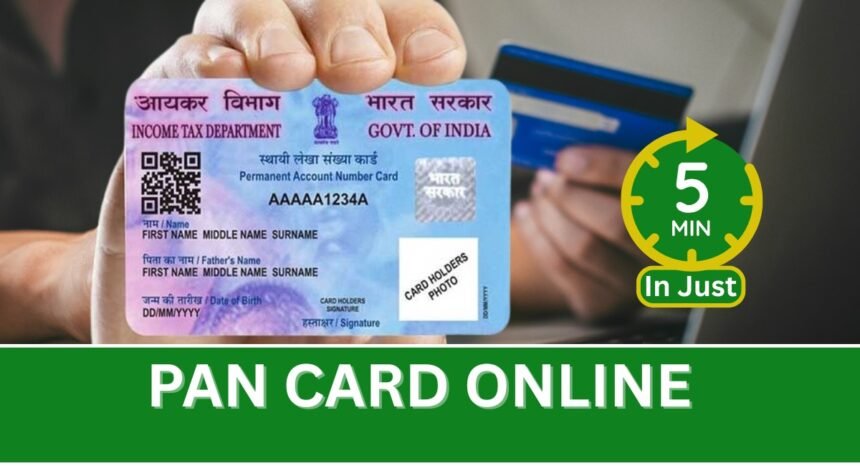
PAN stands for Permanent Account Number. It is a unique 10-digit alphanumeric number issued by the Income Tax Department of India. It helps the government track financial transactions and prevents tax evasion.
Without a PAN card, you may face problems while:
- Opening a bank account
- Applying for loans
- Investing in mutual funds
- Buying property
- Filing taxes
That’s why applying for a PAN card is essential.
Documents Required for PAN Card Application
Before you start the application, keep the following documents ready.
Identity Proof
- Aadhaar Card
- Voter ID
- Passport
- Driving License
Address Proof
- Aadhaar
- Bank statement
- Electricity bill
Other Requirements
- Mobile number linked with Aadhaar
- Email ID
- Passport-size photo
- Signature scan
Step-by-Step Process to Apply PAN Card Online
Follow these simple steps carefully.
Step 1 – Visit the Official Website
Open one of the official portals:
NSDL Portal
UTIITSL Portal
Click on New PAN Card Application (Form 49A).
Step 2 – Fill Basic Details
Enter:
- Full name
- Date of birth
- Mobile number
- Email ID
Submit the form to proceed.
Make sure your details match Aadhaar exactly.
Step 3 – Enter Personal Information
Now provide:
- Father’s name
- Address
- Aadhaar number
- Occupation
- Source of income
Double-check spelling before moving ahead.
Step 4 – Upload Documents
Upload:
- Photo
- Signature
- Identity proof
- Address proof
Files must be clear and readable. Blurry images may cause rejection.
Step 5 – Pay the Fees
Application Charges:
- ₹107 (Indian address)
- ₹1017 (Foreign address)
Payment methods:
- UPI
- Debit card
- Net banking
- Credit card
After payment, you will receive an acknowledgement number.
Step 6 – Submit and Track Status
Use your acknowledgement number to track the status of your PAN card.
Usually:
- e-PAN: 2–3 days
- Physical card: 7–10 days
Ready to Apply Now?
👉 Apply PAN Card Online Here:
Important Tips for Successful Application
Follow these tips to avoid mistakes:
✅Use correct Aadhaar details
✅Upload clear documents
✅Use active mobile number
✅Save acknowledgement number
✅Do not use fake websites
These tips help avoid rejection or delays.
enefits of Applying PAN Card Online
Applying online offers many advantages:
- No office visit required
- Faster processing
- Easy status tracking
- Secure payment
- Available 24/7
It saves both time and effort.
Frequently Asked Questions (FAQ)
Can I apply for PAN card using mobile?
Yes, you can apply using your smartphone.
Is Aadhaar mandatory?
Yes, Aadhaar is required for online verification.
How long does delivery take?
Usually 7–10 working days.
Where can I apply officially?
You can apply through NSDL or UTIITSL official websites.
Can I download e-PAN?
Yes, you can download it after approval.
Conclusion
Applying for a PAN card online is quick, easy, and convenient. By following the steps mentioned above, you can complete the process within minutes without visiting any office. Always use official government websites and keep your documents ready for a smooth application.
For more helpful guides, tutorials, and updates, keep visiting Uniqpedia regularly.